
I recently switched from Zed to Neovim as my editor of choice. It made coding fun again! Here’s how I did it and what I learned.
Preparation
I did vimtutor in vim to get started.
It teaches movements and basic editing commands.
The format is genius in its simplicity: It’s just
a text file opened with Vim, with instructions and examples,
where you can try what you just learned.
After completing vimtutor, I wanted to try it on a real workload. I had recently switched from VSCode to Zed with VSCode keybindings. Luckily, Zed has a good Vim mode.
Zed’s Vim mode
I started using Vim mode from time to time for an hour or two during my work. It was hard. I was unproductive and the mental strain it put on me was considerable. However, I made steady progress. Also, I saw huge potential in this new way of editing files. I felt that it could be way easier once muscle memory would be taking care of the heavy lifting.
After two weeks, I switched to Vim mode for good. I was at least as productive as before. I’ve read many warnings about the “unproductive” phase when switching to Vim and I was pleased to see how quickly I had overcome it.
I tried to do everything with keyboard shortcuts: Git interactions, search and replace, tab switching, pane switching, etc. I had to keep the Vim mode doc open on a second monitor all the time. As I moved my workflows to be more and more keyboard-only, I discovered paper-cuts in Zed’s Vim mode. I found myself stuck in the UI with the only way out being a mouse click. It happened a lot when using search and replace. The problem is that Zed’s Vim mode gives you a Vim-like editing experience, but otherwise VSCode-like shortcuts. The two don’t mix well in my opinion. It feels alien. With the time I had reached a local optimum. If I wanted to go deeper down the rabbit hole, I’d need a better ride.
Neovim with LazyVim
And of course I wanted to dig deeper. Consider the previous section a foreword, here’s where the real story starts.
If you run nvim for the first time, you’re greeted with a radically
minimal interface. Of course this is all relative. I’m used to IDE-like
editors in the spirit of Atom, VSCode and Zed.
I expect my editor to cover a similar feature set.
Another observation I made: Configuring Neovim is hard. I don’t know any Lua, which doesn’t help. But there are two fundamental problems:
- Everything is customisable, so a newcomer like me is easily overwhelmed.
- The defaults are too minimal for me, coming from Zed.
Issue 1) is the whole point of using Neovim, so apart from learning there’s nothing you can do about it. Issue 2), however, has a great solution.
LazyVim
Lazyvim is a distribution for Neovim. A distribution is an opinionated set of configuration and plugins. It provides nearly everything VS Code or Zed have to offer out of the box.
Here’s a non-exhaustive list of things that you’d need to configure with Neovim and that LazyVim gives you for free:
- LSP servers (automatic installation on demand)
- Completions
- Pickers
- Inline git diff
- An explorer with LSP integration
- Non-overlapping keybindings for many popular plugins
- A UI that helps you explore keybindings (which-key)
There’s a recent trend among Vim influencers to do “minimal” configurations without a distribution like LazyVim. I can absolutely not recommend following this route, at least not when you’re starting out. It’s already hard enough to get used to a new editor in my opinion.
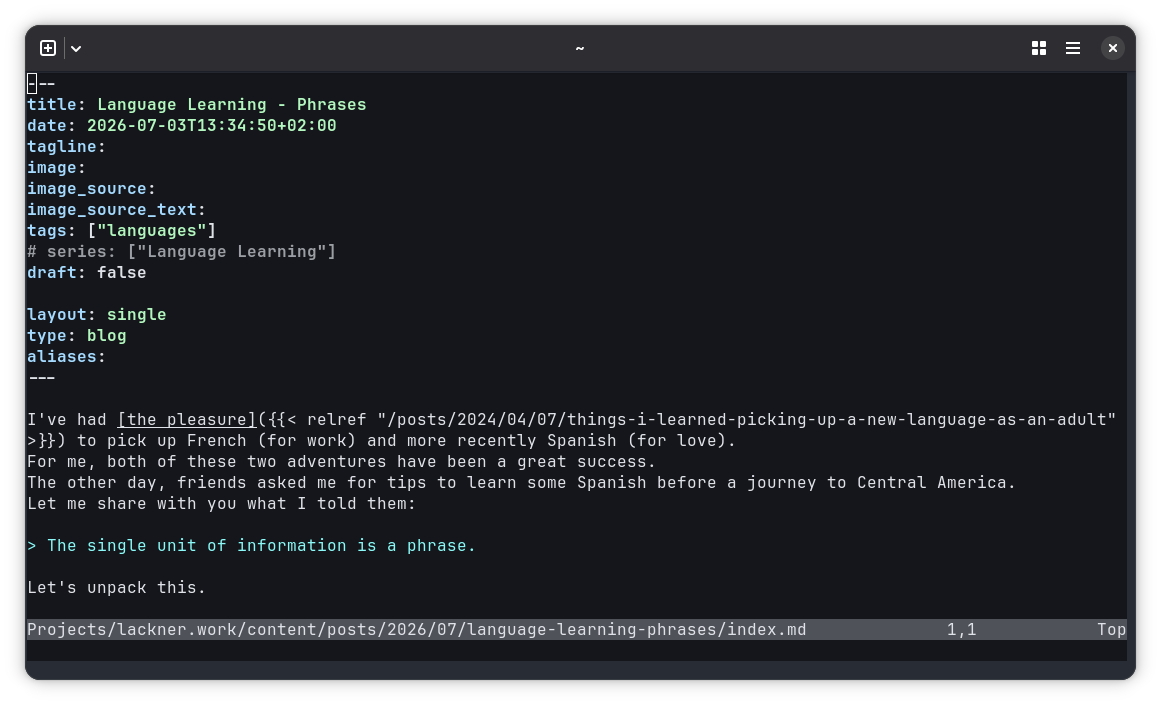
Plain Neovim
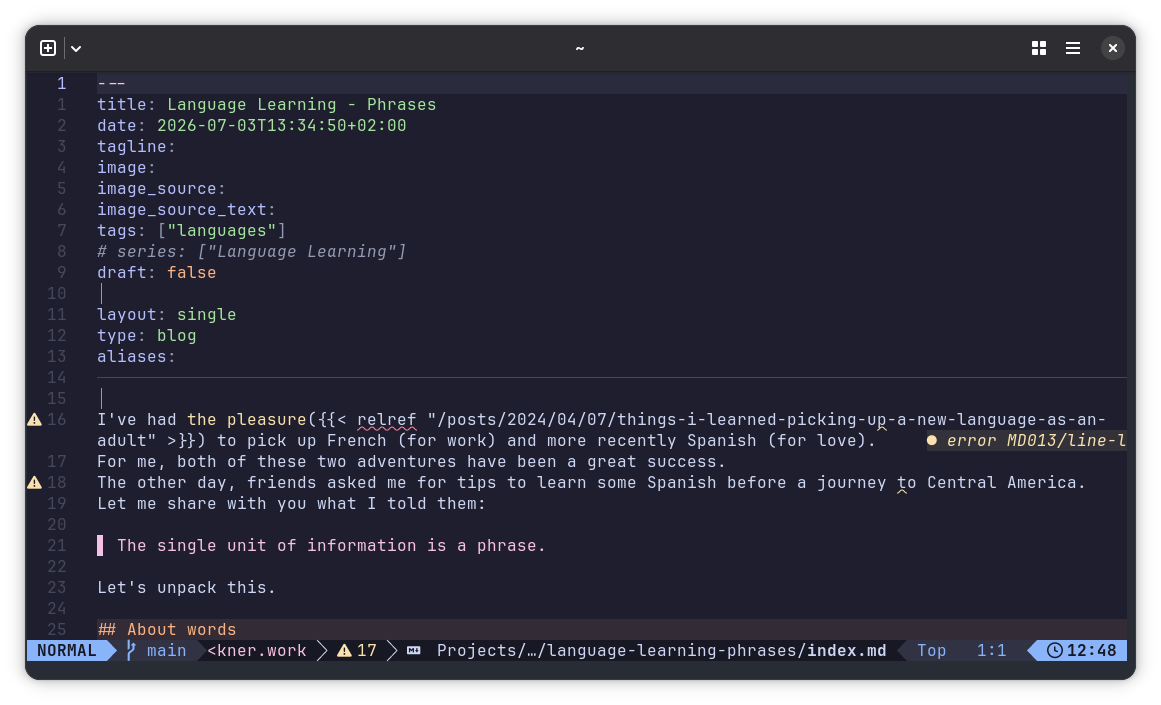
LazyVim
I followed LazyVim for ambitious developers from start to finish. It’s a great book that provides the essentials to work productively. Most major functionalities a developer uses during daily tasks are covered.
You can find my config in my dotfiles repo. Feel free to check it out and inspire yourself.
Keybindings
Keybindings (shortcuts) are at the core of the Vim workflow. A well-crafted set of keybindings is essential to reap the benefits of a keyboard-first workflow.
Adapting a modern keyboard
The keybindings of Neovim stem from a time when keyboards looked different from today. This is painfully obvious, since some very important and highly used keys are hard to access on normal keyboard layouts.
One example is the Escape key. It’s used a lot in Vim, yet it’s hard to reach on normal keyboards.
Another example are the modifier keys Control and Alt. You have to do some hand-gymnastics to use them.
I’ve remapped those three keys on the operating system level. Without those mappings, Vim is unusable in my opinion. My remaps are:
- Pressing Caps-lock => Escape
- Holding Caps-lock => Control
- Holding Tab => Alt
- Shift+Caps-lock => Caps-lock
On Linux, I’m using keyd with the following configuration:
[ids]
*

[main]
capslock = overload(control, esc)
tab = overload(alt, tab)

[control+shift]
capslock = capslock
On MacOS I’m using Karabiner-Elements.
Customisation vs. Defaults
It’s tempting to change a lot of keybindings to optimize certain workflows. Neovim makes this easy and you can quickly end up with a completely custom editor that behaves exactly how you’d like it to.
However, there’s a hidden cost in extensive customisation: Maintenance. Neovim is moving quickly. The (awesome) maintainers are busily adding features that close gaps people used to fill with plugins and custom keybindings.
New functionality needs new keybindings, so with time you’ll run into conflicts that might require further adaption or change of habits.
I feel like there’s a tension between customizing heavily and sticking to the defaults. Neither extreme is good. I’m trying to keep only really useful keybindings in my config and to rely on the default ones most of the time.
Plugins
Speaking of plugins. LazyVim ships with a bunch, and most of them are useful. I want to touch on three other plugins that I’m using everyday without which Neovim weren’t an option for my daily work.
LazyGit
LazyGit is actually not a Neovim plugin, but a standalone TUI git client. LazyVim ships with a nice integration that displays LazyGit as a floating window over your Neovim UI.
LayzGit is amazing. It covers many of my git needs. The interface is fantastic.
There’s also a Neovim native option, neogit. I’ve tried it and came to the conclusion that it’s not for me. I don’t like how most useful information is hidden behind accordeons.
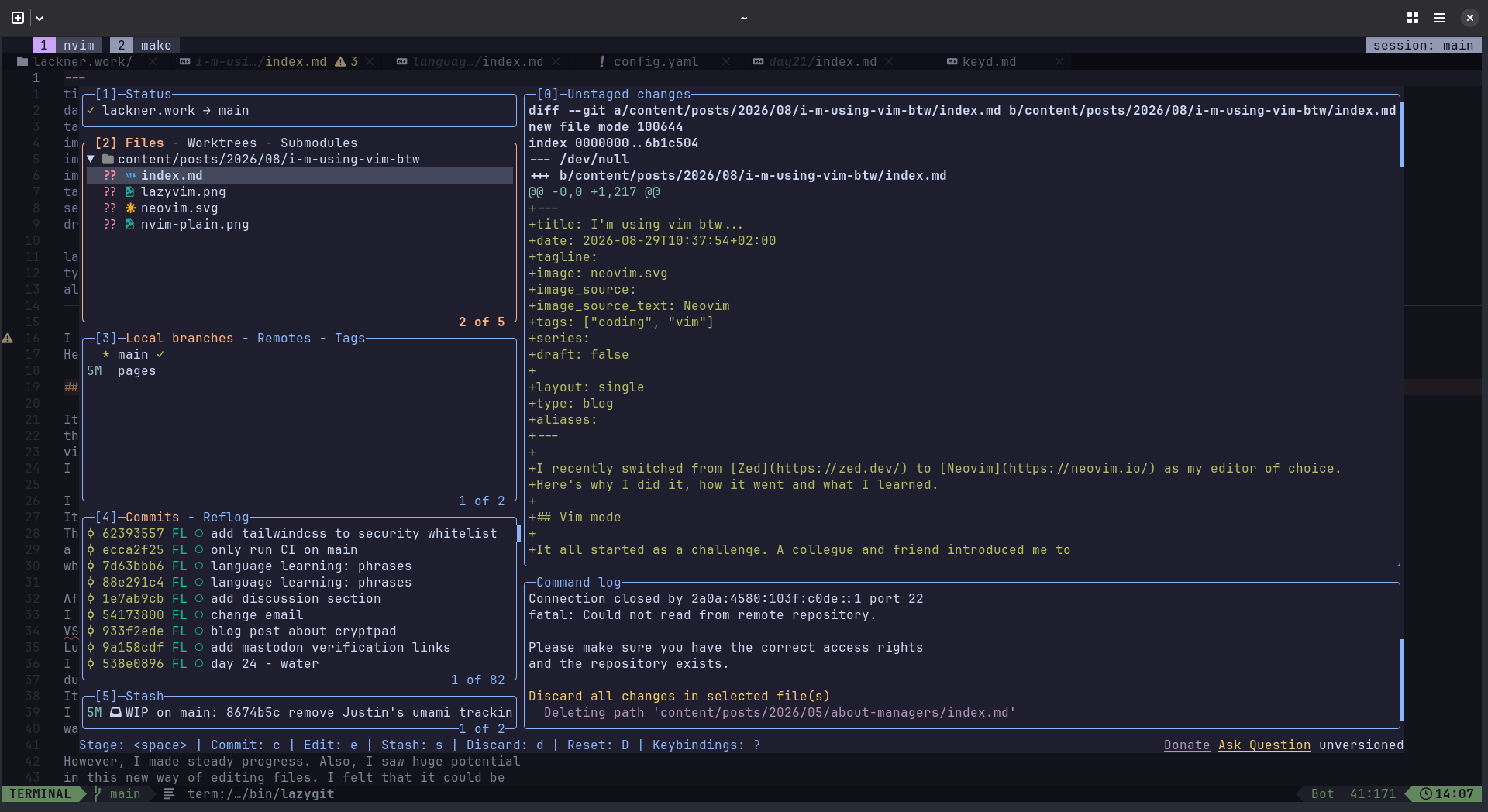
LazyGit interface
Diffview+
I like to review PRs locally and I also often want to look at the current changes of my working directory. Neovim offers a diff mode, but it can be clunky at times.
Diffview+ is a plugin that enhances the native diff mode. I’m using it every day and it does the job well for me.
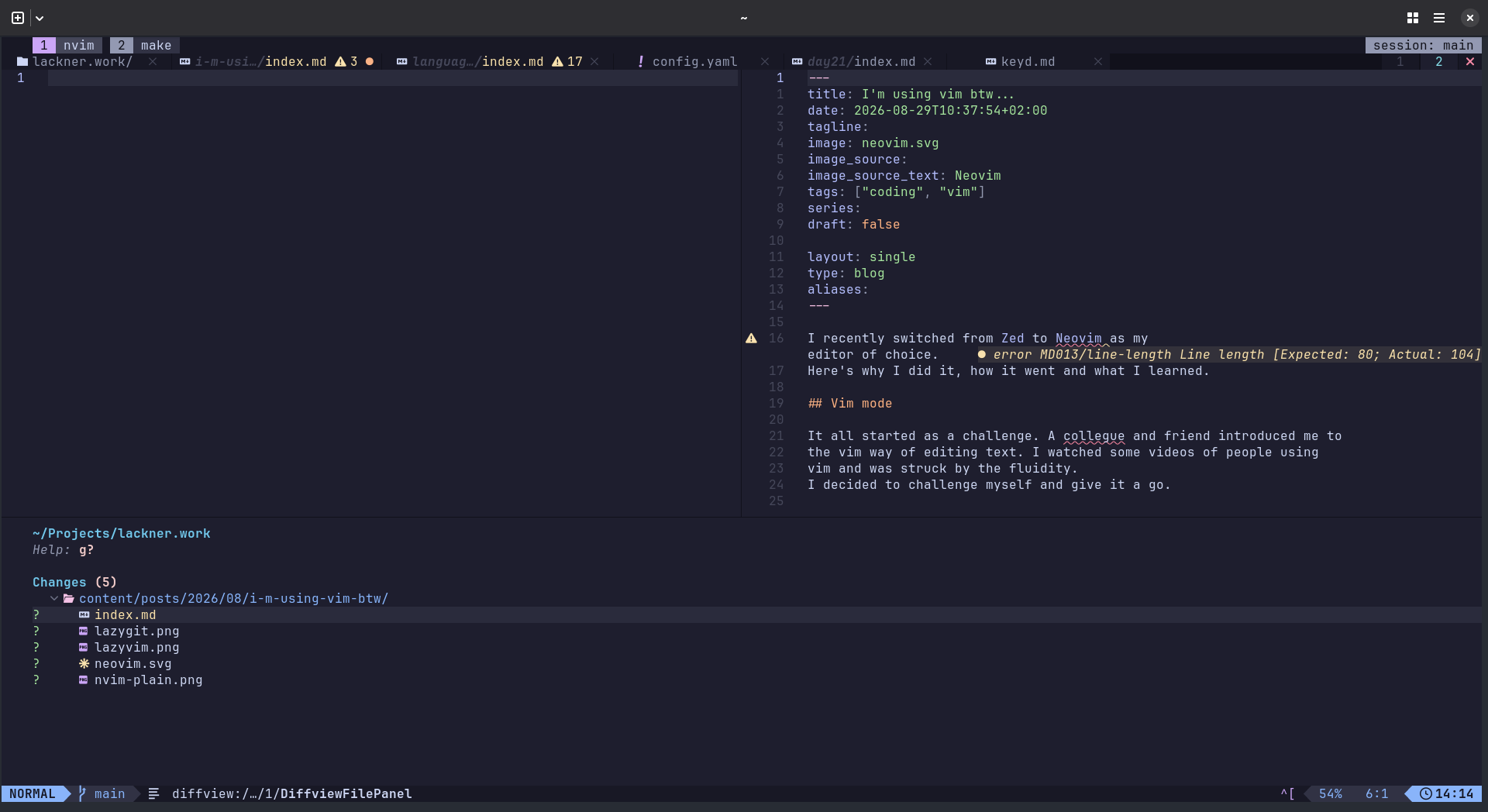
Diffview+ interface
Multi-cursor
Neovim has no native multi-cursor support.
The topic seems to be polarizing in the broader Vim community.
I can only speak for myself, and I’m a heavy user of multi-cursors in other editors.
The good news is that Neovim 0.13, to be released in March 2027 soon, will support them.
In the meantime, I’m using the jake-stewart/multicursor.nvim plugin. It supports all I need and more. But since this functionality is implemented as a plugin, there are some quirks. I hope the native approach will work even better once it’s released next year.
Missing from Zed
There’s one feature from Zed that I came to love that’s missing in Neovim: Multi-buffers. Zed opens git diffs, project wide search results and other things as multi-buffers. A multi-buffer can be viewed and edited as if it were one big file. Any changes are transparently mapped back to each original file.
This feature is amazing for viewing diffs. It’s also very strong for search and replace.
As far as I understood the discussions on GitHub, it’s not obvious how multi-buffers could fit into Neovims architecture. It’s on the roadmap, but without owner and deadline. Let’s see if it’ll make it into Neovim one day.
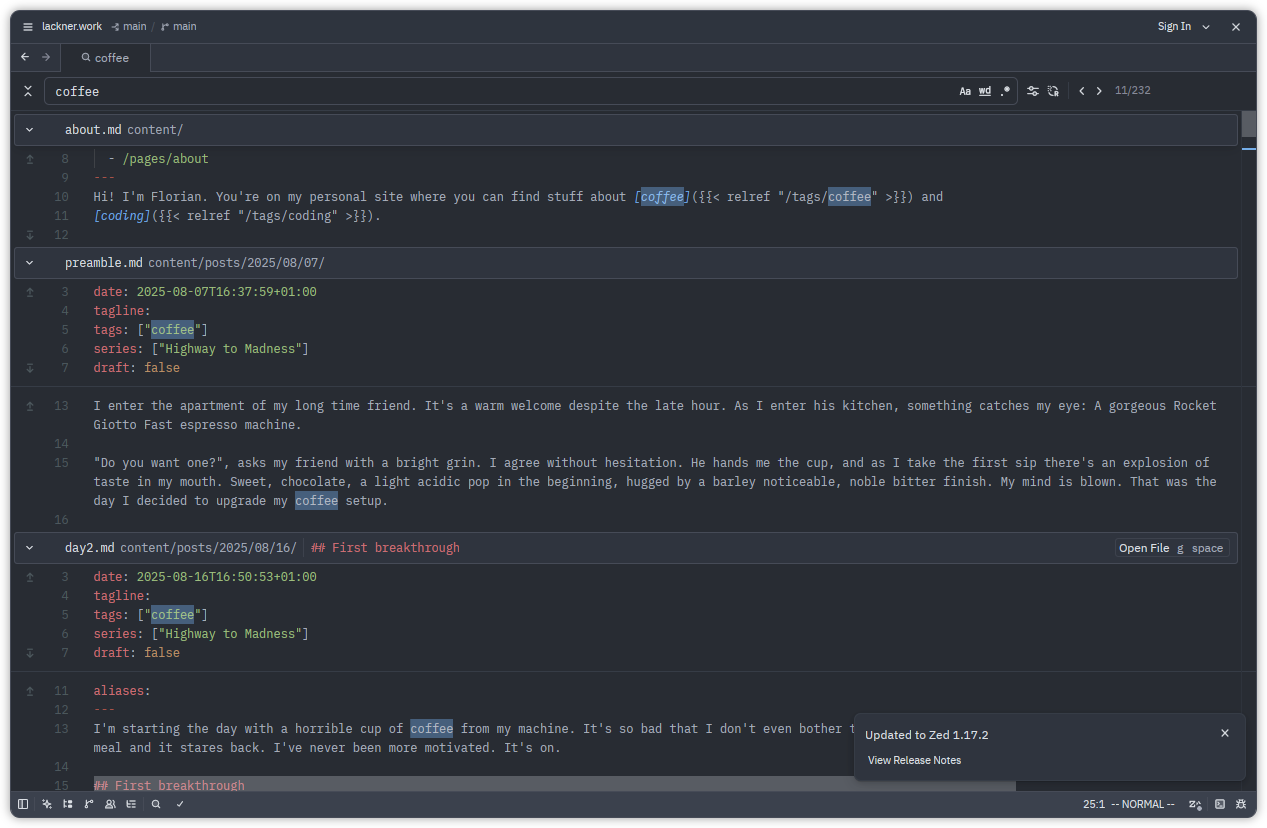
Zed Multi-Buffer
What did I gain from my switch to Neovim?
Did Neovim make me a better programmer? No.
Did it make me faster? Yes and No. Yes, because I learned a lot about it and this pays off. No, because I could’ve done the same in any other editor to reap similar benefits.
Was it worth it then? YES!
There are multiple reasons why.
Firstly, I’m suffering from notorious tendonitis (inflammation of the tendons) in my forearms. This condition is common among software developers, I’ve been told. Going keyboard-only helped lot.
Secondly, I’m having this sensation where I think about something I want to appear on screen and my hands just do it without further assistance from my concious brain. It’s as if my ideas flow freely from my mind onto the screen. I never had that before and it’s awesome.
Lastly and most importantly, it’s fun! It’s fun to learn new things. It’s fun to improve a little workflow with a clever new trick. It’s fun to think about text manipulation as a language.
Summary
Neovim is fun. It shortens the information flow between your mind and your computer.
Use a distribution to get started.
Don’t micro-optimize your config. Just get going and improve little things from time to time.
Expect to learn something, no efficiency miracles.